CTA Panel
A cPanel alternative hosting panel: CTA Panel
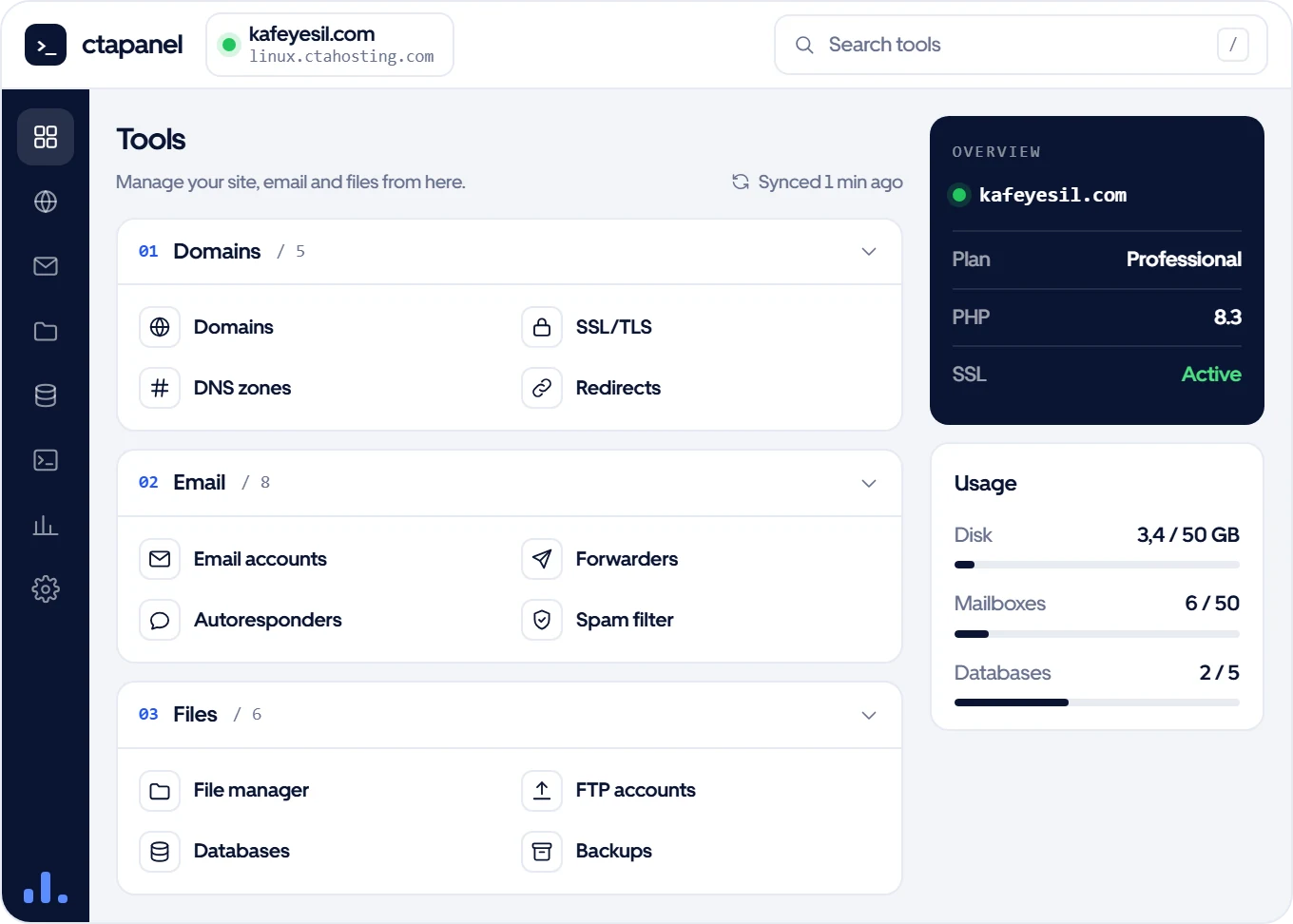
CTA Panel is the control panel you manage your hosting account with, and we build it ourselves. Email, files, databases, domains, DNS, SSL and backups on one screen. If you have used cPanel, you will recognise the tools.
- Included in every hosting plan
- No separate panel licence fee
- The tools you know from cPanel
- English and Turkish interface
Features
The tools a website needs
All the everyday tasks in one panel. No command line needed.
Domains and SSL
Add addon domains, subdomains and aliases. A free SSL certificate for every domain in one click.
DNS zones
Add, edit and delete A, CNAME, MX, TXT and other records.
Email
Mailboxes, quotas, forwarders and autoresponders. Checks SPF, DKIM and DMARC and sets up what is missing.
File manager and FTP
Upload, edit and move; create or extract zip and tar.gz archives; change permissions. FTP accounts limited to a folder and quota.
Databases
Create MySQL databases and users and grant access. Password-free sign-in to phpMyAdmin.
Backups
Take a backup whenever you like; restore or download files and databases from it.
PHP and cron
Pick your site’s PHP version and change PHP settings. Set up cron jobs with ready-made schedules.
Site tools
Redirects, password-protected directories, forced HTTPS, access and error logs.
Moving from cPanel
Used to cPanel? Nothing to relearn
The tools in CTA Panel do the same job as the ones in cPanel. We move your existing cPanel account for free, and your site stays online meanwhile.
Move my cPanel accountWorks with the client area
No extra password, no extra screen
CTA Panel is linked to your client area. From your service page you jump to the panel, webmail or phpMyAdmin in one click.
One-click sign-in
Go from the client area to CTA Panel, webmail and phpMyAdmin without typing a password.
Usage charts
See disk, traffic, inode, CPU and RAM usage in 24-hour, 7-day and 30-day charts.
Resource limits
Each account has its own CPU limit, so a busy site elsewhere doesn’t slow yours down.
CTA Panel for resellers
On reseller plans you open separate CTA Panel accounts for your clients and set their package and resource limits. Your logo and nameservers appear in the panel.
Reseller hostingManage your own servers too
To manage your cPanel/WHM, Plesk, DirectAdmin and panel-less servers from one screen, see ctapanel.com. Free for 7 days, no card needed.
ctapanel.comFAQ
Questions about CTA Panel
If you can’t find what you need, write to us; we reply the same day.
Our sales team can suggest a plan for your needs.
The hosting control panel built by CTAHosting. You manage the email, files, databases, domains, DNS, SSL, backups and PHP settings of your hosting account from it.
It does the same job: running a hosting account. The difference is that we build CTA Panel. No licence fee is added to your plan, and we don’t wait for another company to fix a problem or add a feature.
No. CTA Panel is included in every web hosting, WordPress hosting, e-commerce hosting and reseller hosting plan.
Yes, for free. We move the files, databases and email; your old site keeps running until you point the domain to us.
English and Turkish.
Each client signs in to their own CTA Panel account. They see your brand and nameservers; the ctahosting name doesn’t appear.
Get CTA Panel with your hosting
Included in every hosting plan; no setup fee and a 14-day refund.
No setup fee · No commitment · 14-day refund